Skip to content
HawkSearch
Book a demo

The Search Bar That Helps Before They Type

One click on search opens a guided experience: trending products before shoppers type, AI answers while they type, and a conversation that picks up right where search leaves off.

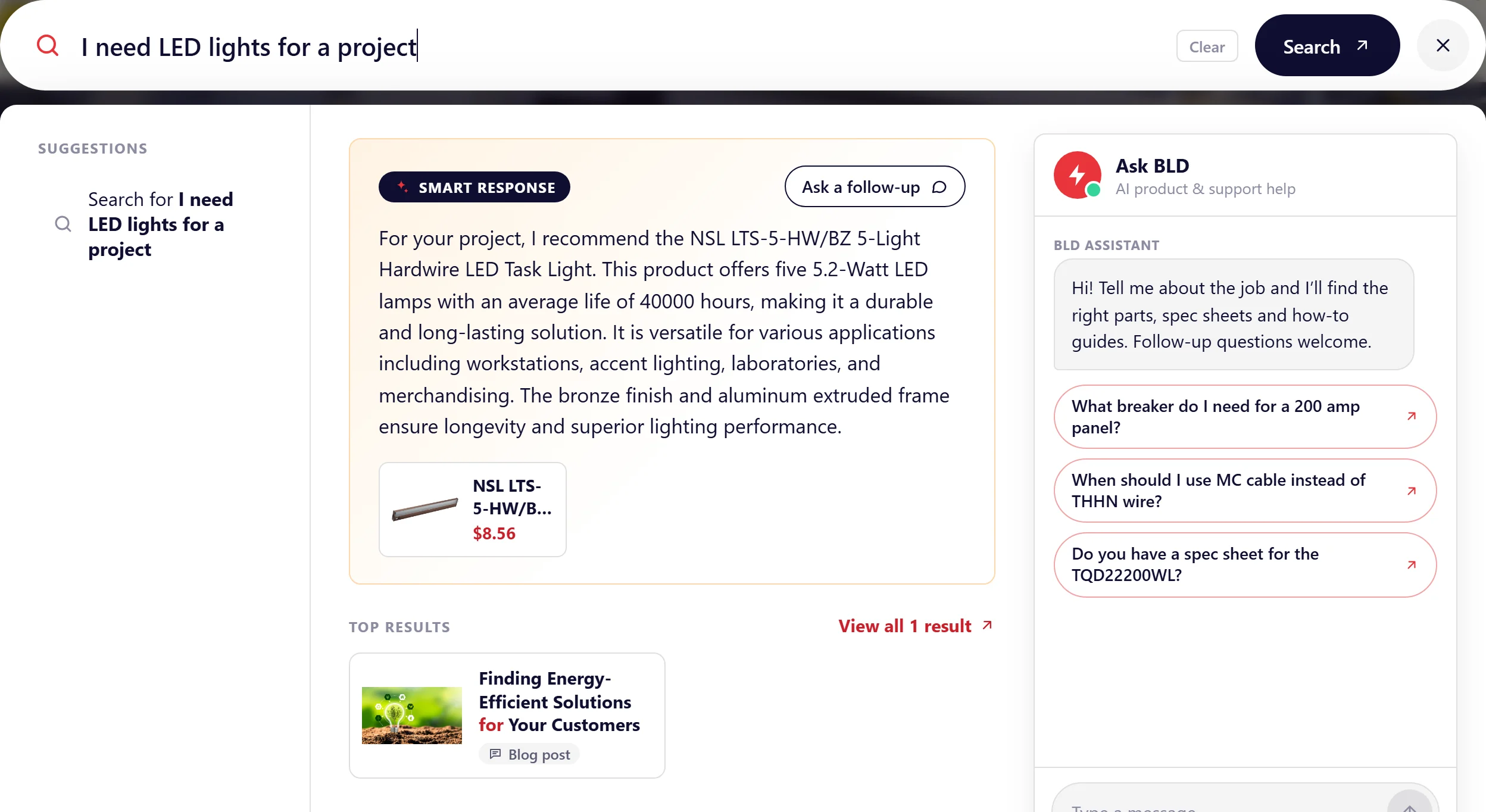
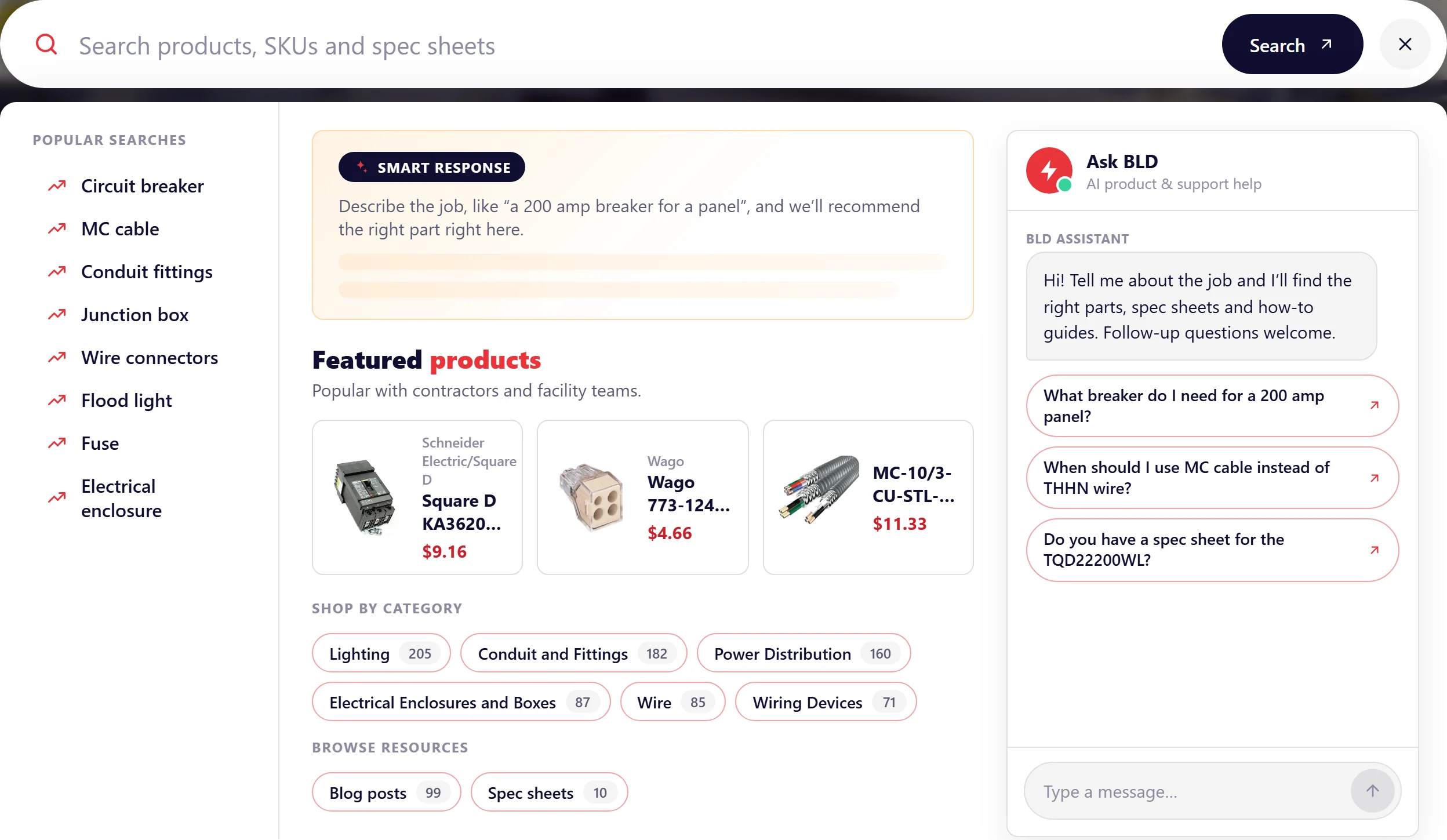
The Agentic Instant Engage search panel on a B2B electrical store, with a Smart Response answer and the assistant

See Agentic Instant Engage in Action

Follow one shopper on a B2B electrical store, from a single click to a confident answer.

One search barShoppers start where they always do. One bar takes keywords, questions and conversation.

Try the live demoReplay of a real session on our B2B demo store.

Every Step of the Search, Working Together

Instant Engage, Smart Response and the Search Assistant used to be separate experiences. Agentic Instant Engage puts them in one panel, so shoppers move from browsing to asking to buying without starting over.

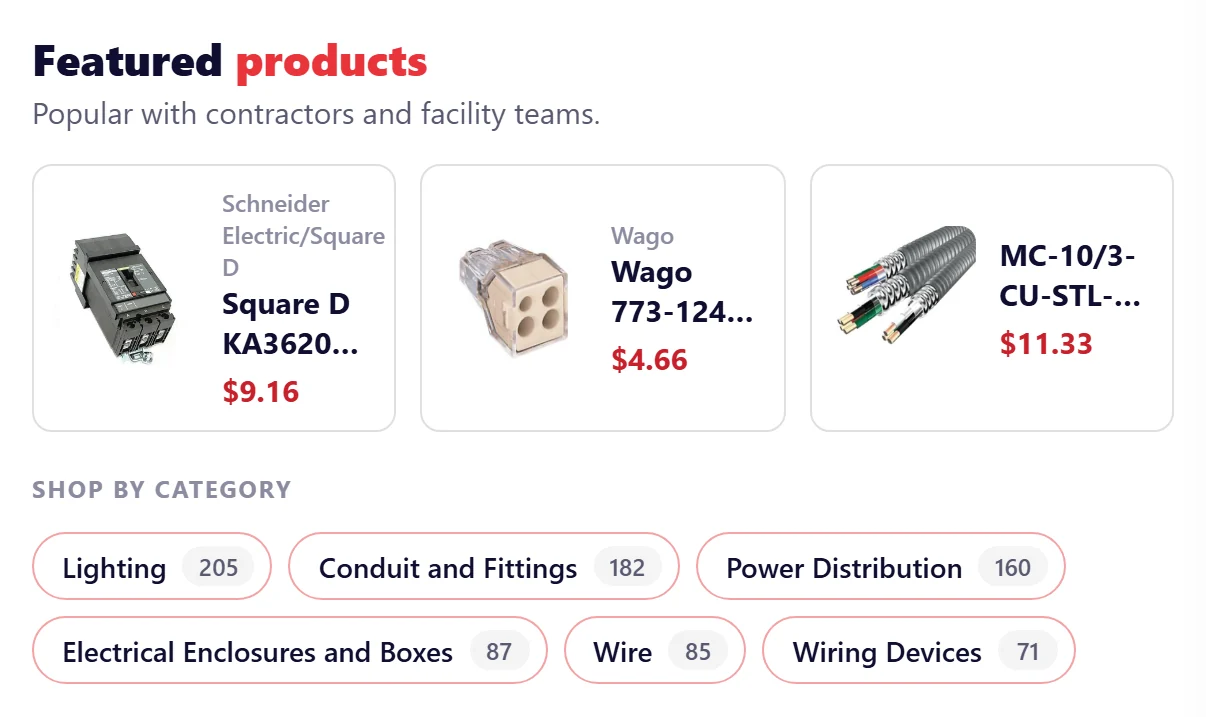
Instant Engage: popular searches, featured products and category shortcuts before typing
01

Engage Before the First Keystroke

The moment a shopper clicks search, the panel fills with what's popular and what's worth a look, so nobody starts from a blank box.

  • Popular searches from your own search activity
  • Featured products your merchandisers choose
  • Category shortcuts with live result counts
  • Suggested questions that invite shoppers to ask
  • Fewer blank-box moments
  • Faster discovery
  • Merchandising at the first click
Smart Response answering 'I need LED lights for a project' inside the search panel, with a recommended product
02

Answers Right in the Search Bar

Shoppers can type a question the way they'd ask a colleague. Smart Response reads the results and answers in the panel, next to the products it recommends.

  • Plain-language questions, not just keywords
  • Answers grounded in your catalog and content
  • Recommended products shown with the answer
  • Suggestions and results update as they type
  • Buying questions answered in the moment
  • Less pogo-sticking
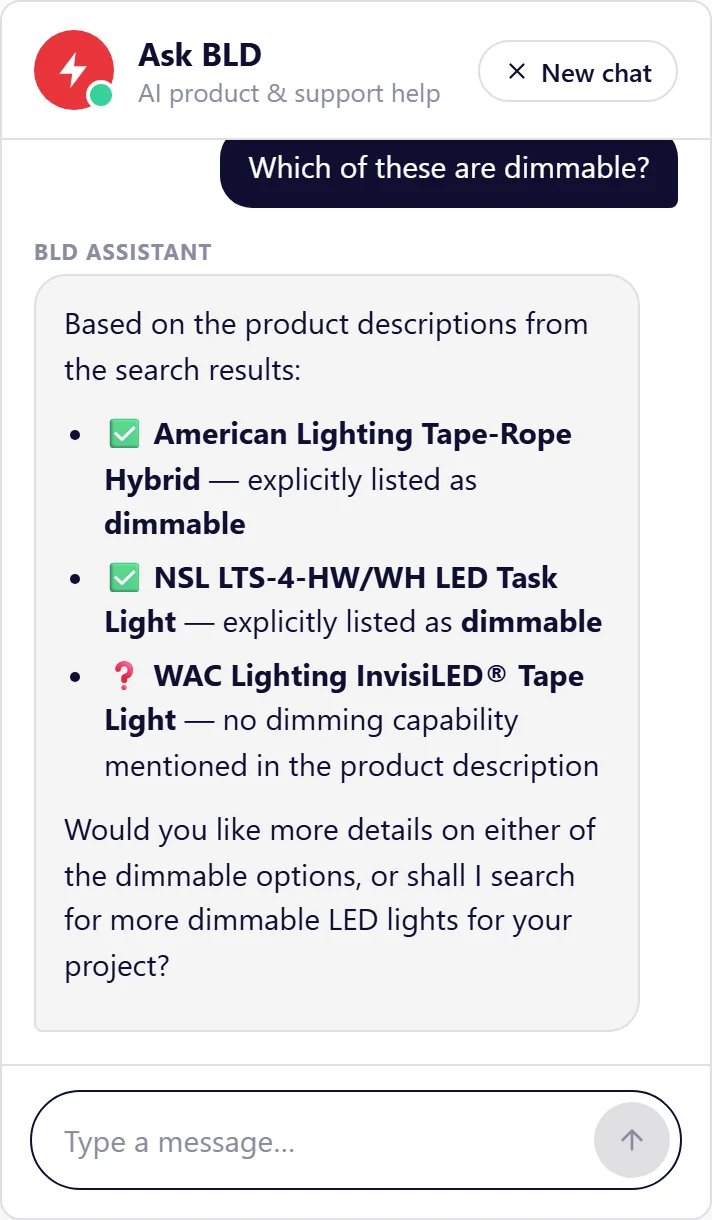
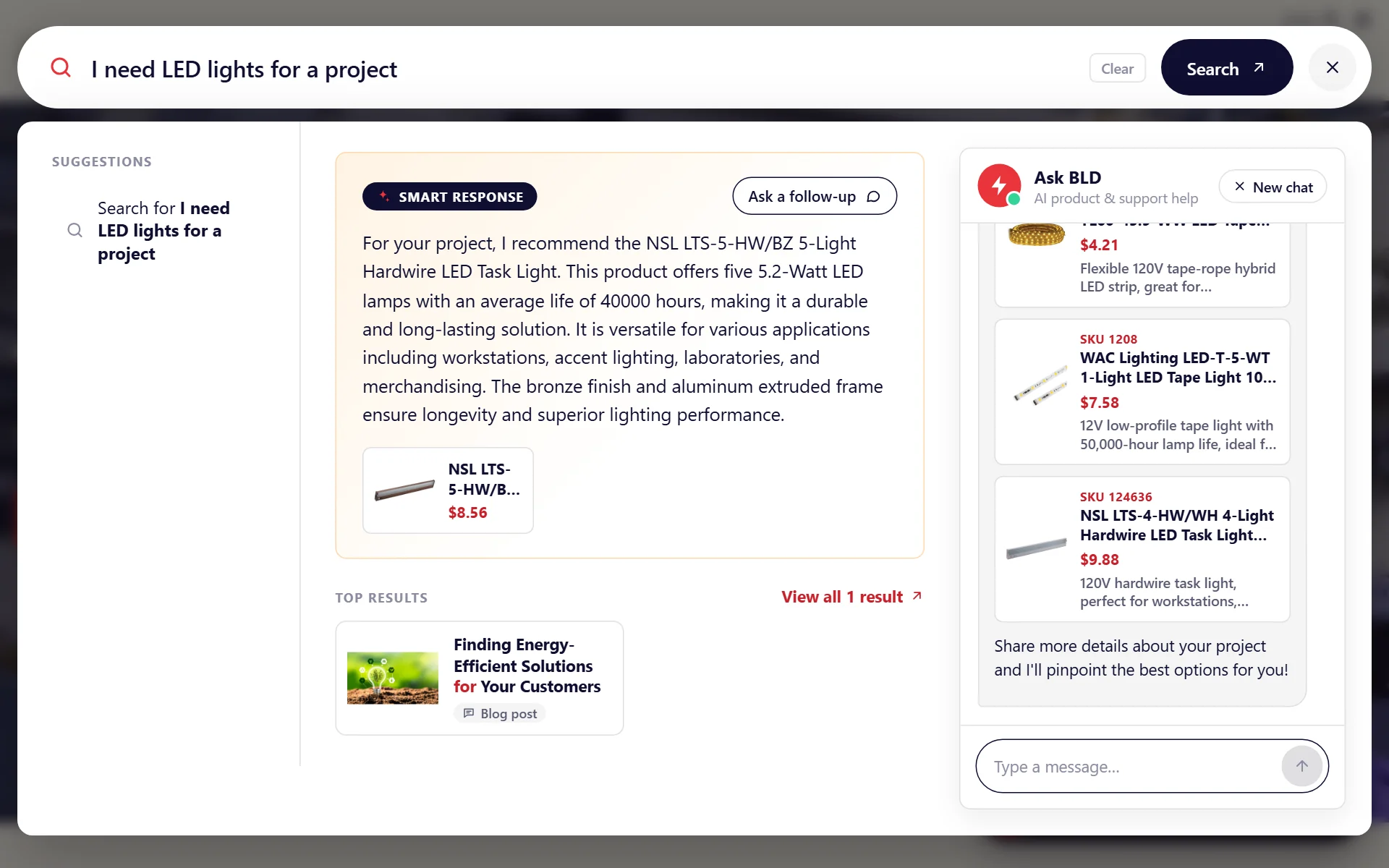
The Search Assistant continuing the conversation with product cards and a follow-up answer about dimmable lights
03

A Conversation That Picks Up Where Search Leaves Off

When a shopper needs more than one answer, "Ask a follow-up" carries the question into the Search Assistant, right beside their results.

  • One click carries the question into the conversation
  • Remembers context, so follow-ups like "Which of these are dimmable?" just work
  • Product cards with price and SKU, ready to open
  • Sits beside the search results, so nobody loses their place
  • Guided buying
  • Higher confidence
  • Fewer support questions
// Add to an existing Rapid UI search page
HawkInstantEngage.init({
  popup: { openers: '[data-ie-open]' },
  smartResponse: {
    clientGroupId: 'YOUR_GROUP_ID',
    agentId: 'YOUR_AGENT_ID'
  },
  ask: {
    title: 'Ask BLD',
    questions: ['Which breaker do I need?']
  }
});
04

Fits the Search You Already Have

Agentic Instant Engage works with HawkSearch's Rapid UI, so teams add it to their current search instead of rebuilding it.

  • A full-size popup, or a panel under your existing search bar
  • Templates you can customize like any Rapid UI component
  • Works alongside the chat bot you already have
  • Uses your HawkSearch engine, Smart Response and Search Assistant
  • No rebuild
  • Your brand, your templates

Why Commerce Teams Choose Agentic Instant Engage

Still Have Questions?

Ready to Make Every Search a Conversation?

See what Agentic Instant Engage can do for your shoppers, on your catalog.